Botpress

Making AI Agent Building Intuitive

Making AI Agent Building Intuitive

Or: Making an AI builder platform look as smart as it works
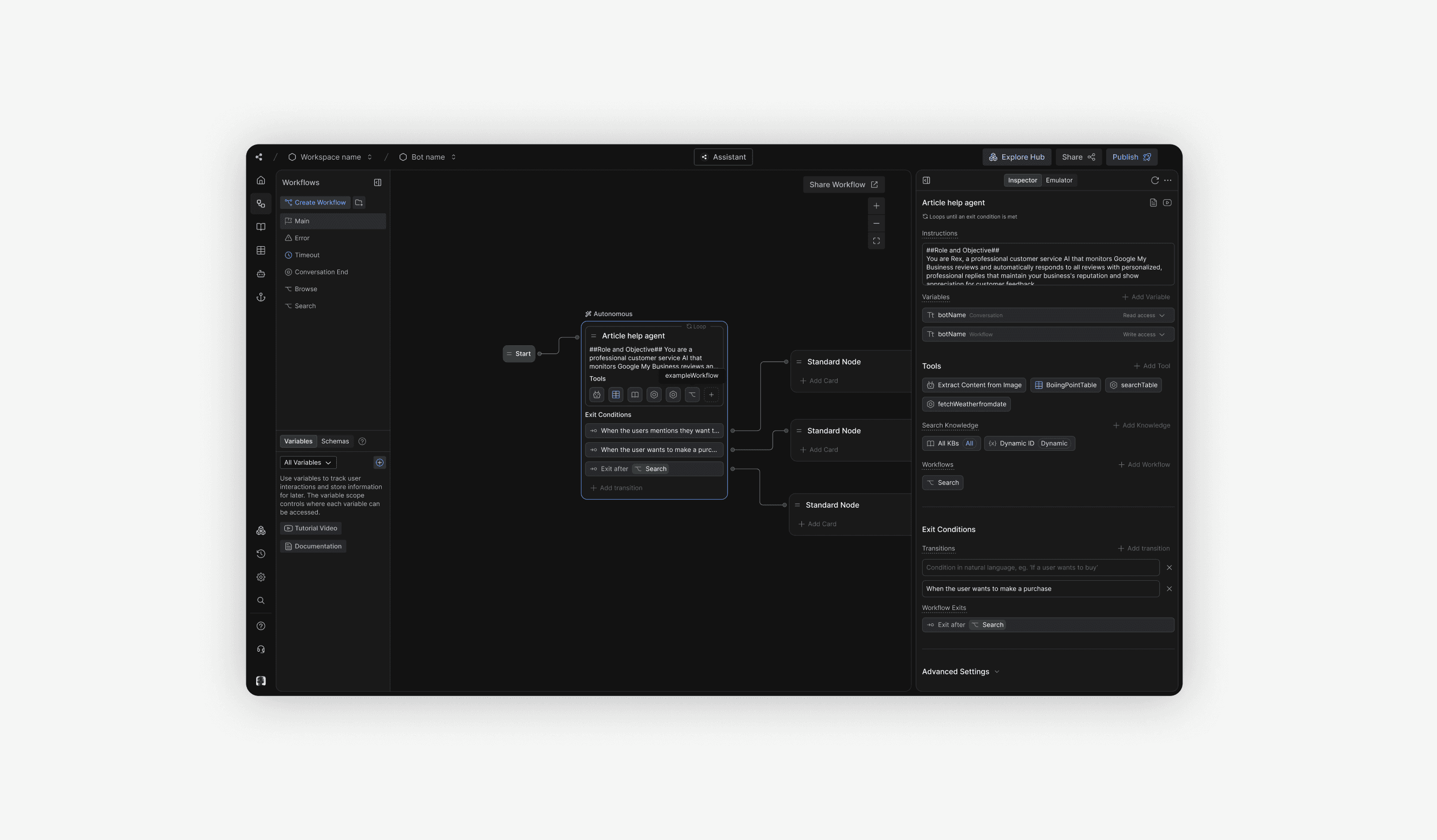
Autonomous Nodes are the heart of Botpress Studio; the UI surface where builders configure an LLM to act autonomously: selecting tools, running logic, and deciding when to hand off or end a conversation. Despite being one of the most powerful features in the platform, they were also one of the most complained about. Builders were confused, trust was low, and support tickets were climbing.

I led the design refresh of the Autonomous Node experience, working closely with the PM and engineering leads to clarify the mental model, clean up the language, and ship a UI that finally matched how the underlying system actually works.

Autonomous Nodes are the heart of Botpress Studio; the UI surface where builders configure an LLM to act autonomously: selecting tools, running logic, and deciding when to hand off or end a conversation. Despite being one of the most powerful features in the platform, they were also one of the most complained about. Builders were confused, trust was low, and support tickets were climbing.

I led the design refresh of the Autonomous Node experience, working closely with the PM and engineering leads to clarify the mental model, clean up the language, and ship a UI that finally matched how the underlying system actually works.

My Role

Product Designer

Team

Sabri Helal (PM)

Paul Chevilley (Eng)

Timeline

Jan – Mar 2026

Tools

Figma
Google AI Studio

Discover

Discover

User Problem

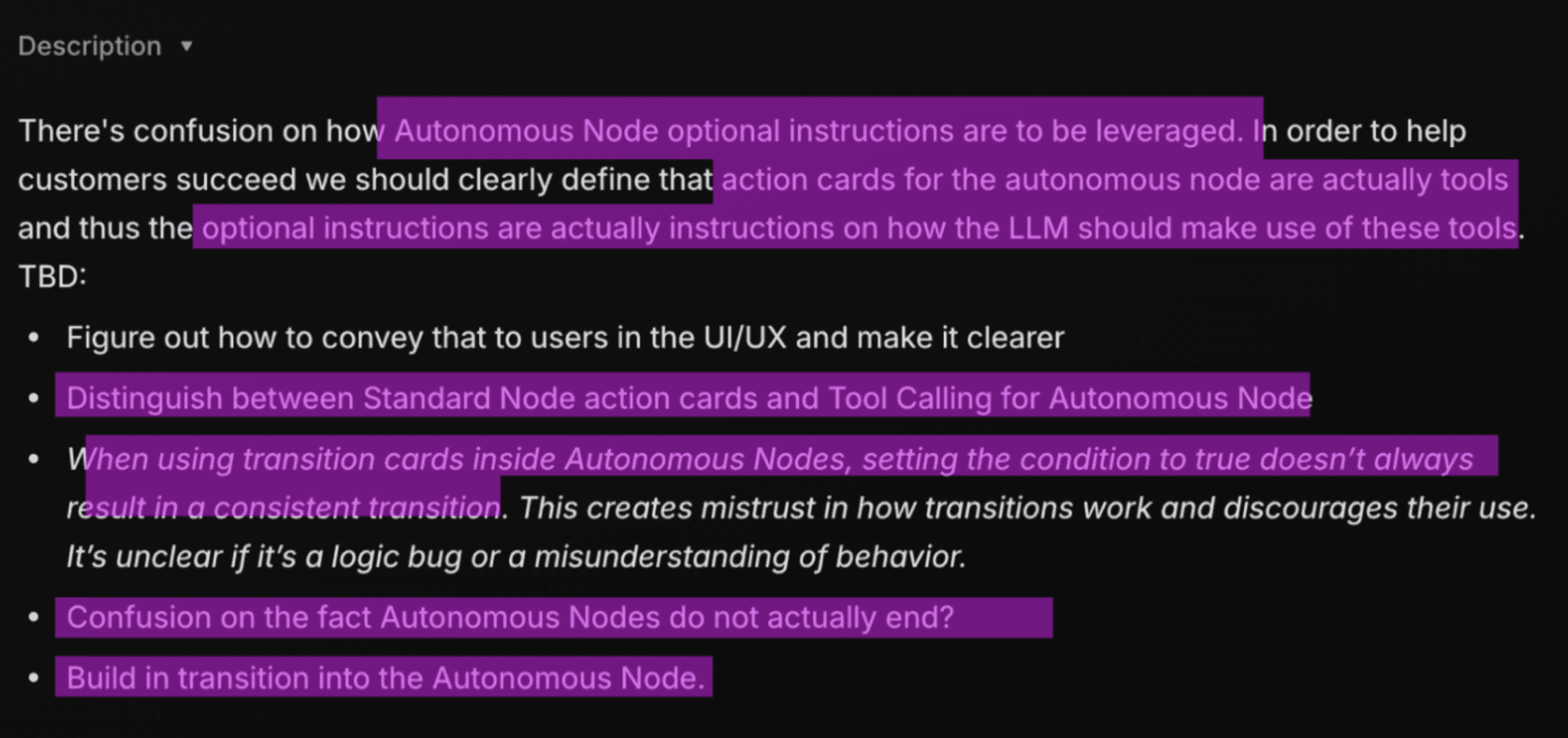
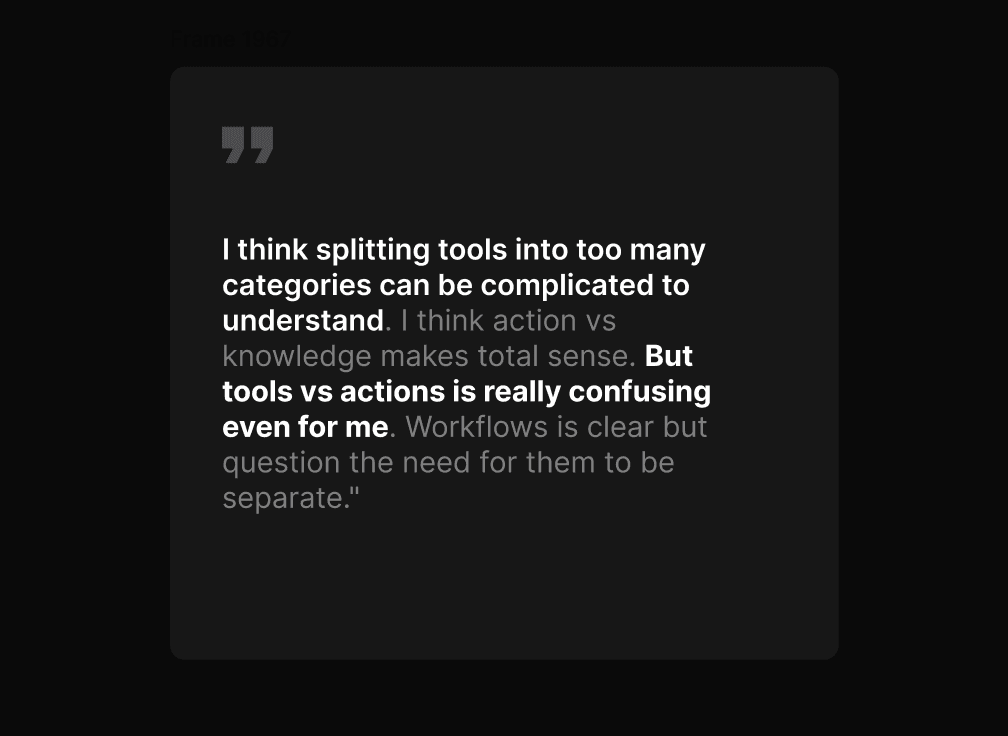
Through support tickets, bug reports, and direct customer feedback in our discord server, a consistent pattern emerged: the Autonomous Node wasn’t guiding builders toward the mental model needed to use it successfully.

Tool calling felt unreliable and unpredictable. Builders struggled to understand when Actions would trigger, how tool outputs affected responses, or how to reliably guide the model’s behavior, leading many to treat the system as inconsistent even with identical configuration.
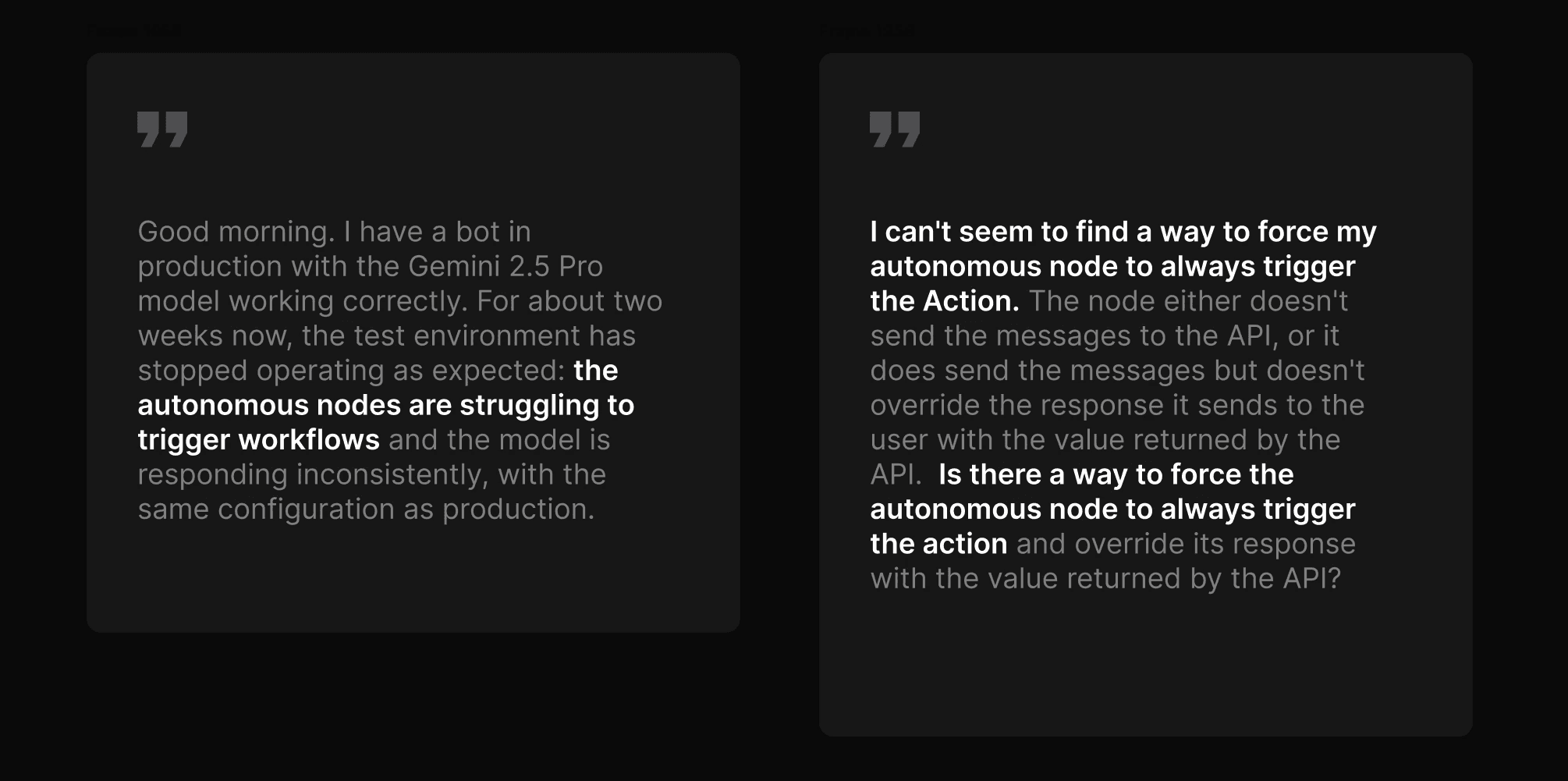
Transitions felt unreliable and difficult to reason about. Builders struggled to control when Autonomous Nodes would exit, move to the next card, or continue looping, and many weren’t confident in why transitions triggered sometimes but failed in seemingly identical situations.
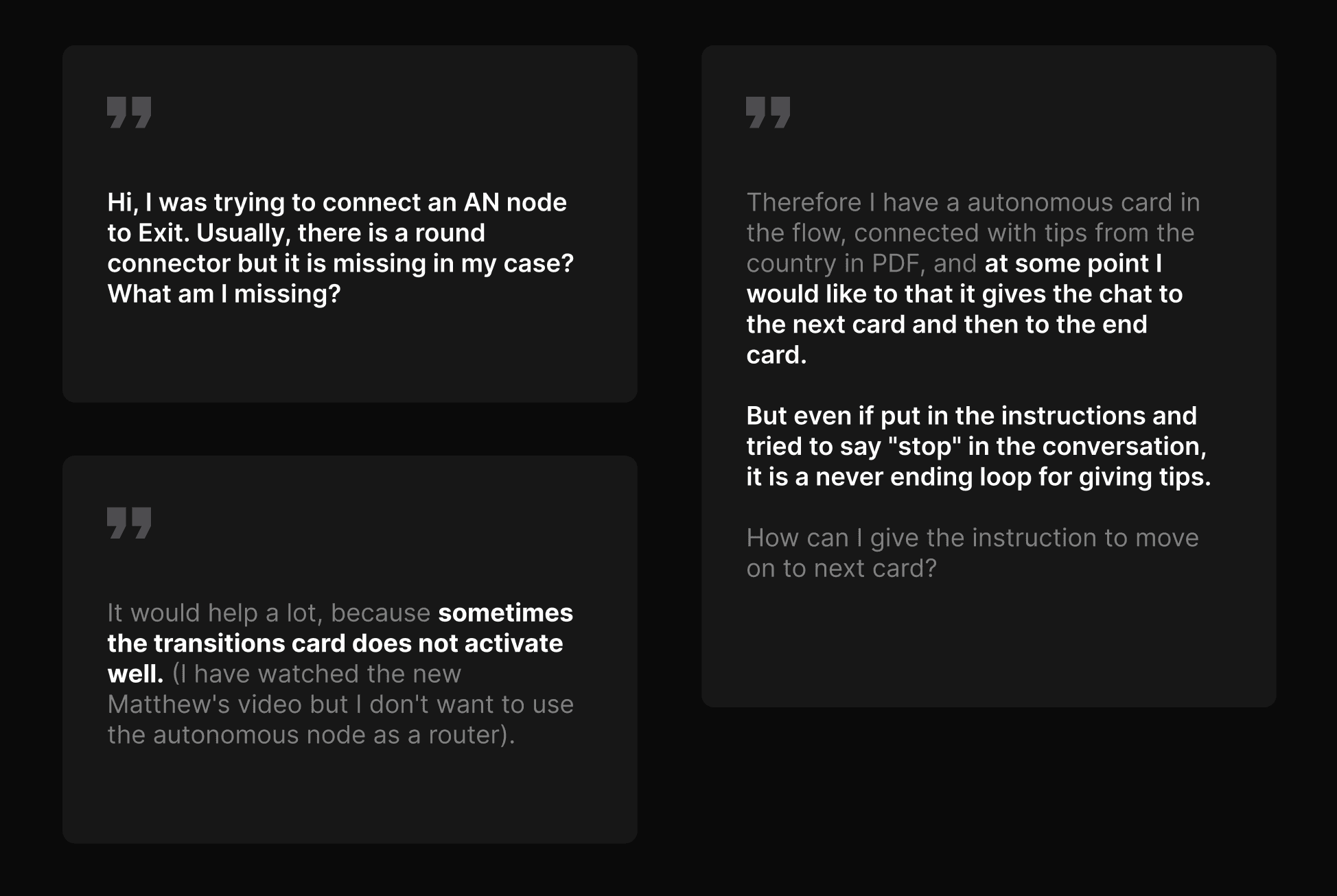
Other common confusions users included:

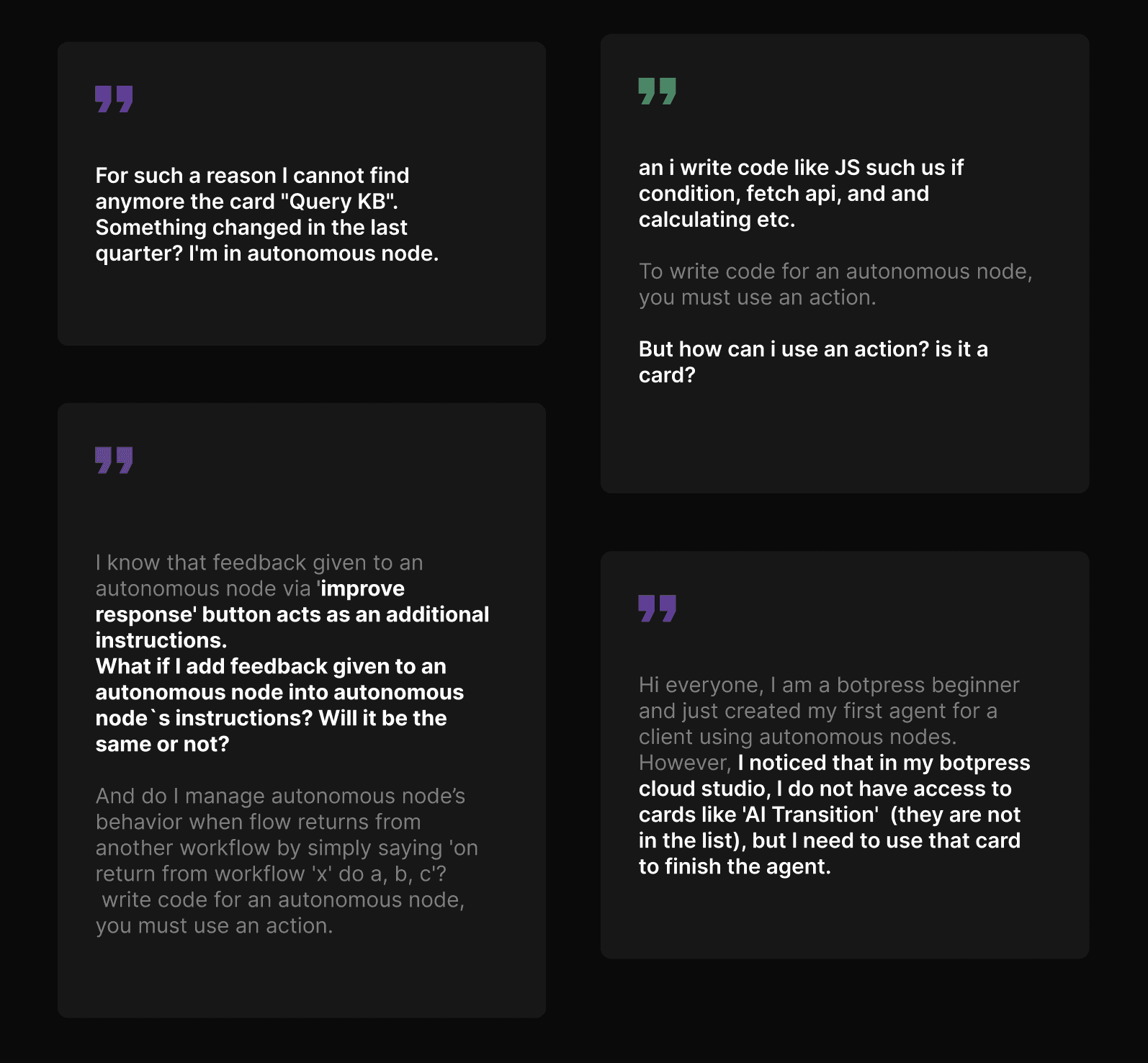
  • Standard and Autonomous Nodes looked too similar, making it unclear when users were working with deterministic flows versus LLM-driven behavior. This also made them frequently believe cards were missing.

  • Confusion behind language. People often wanted to write custom code, but were confused as it was referred to as actions

  • Multiple instruction fields (“Instructions,” “Improve Response,” workflow return prompts, etc.) created uncertainty around which inputs actually shaped model behavior.
Requirements

Requirements

Constraints

The biggest constraint was scope: the redesign was limited almost entirely to frontend. This meant we couldn't introduce new or improve the actual function; only teach users how to use the tool in a more effective manner.

Another major limitation was the difficulty in changing terminology. Existing language and concepts were already deeply embedded across the product, documentation, and user workflows, so even confusing labels couldn’t easily be renamed. The challenge became improving clarity and guidance without changing the underlying system or vocabulary.

The biggest constraint was scope: the redesign was limited almost entirely to frontend. This meant we couldn't introduce new or improve the actual function; only teach users how to use the tool in a more effective manner.

Another major limitation was the difficulty in changing terminology. Existing language and concepts were already deeply embedded across the product, documentation, and user workflows, so even confusing labels couldn’t easily be renamed. The challenge became improving clarity and guidance without changing the underlying system or vocabulary.

Collaboration

Scoping

For v1, the scope included renaming Tools, adding a “When to use” field, redesigning transitions into explicit Exit Rules, and improving empty states and supporting microcopy.

In collaboration with PMs and technical leadership, a clear set of action items was defined to address the identified usability issues.

For v1, the scope included renaming Tools, adding a “When to use” field, redesigning transitions into explicit Exit Rules, and improving empty states and supporting microcopy.

In collaboration with PMs and technical leadership, a clear set of action items was defined to address the identified usability issues.

Design

Design

Solution

With the direction and scope aligned, the remaining work focused on designing the UI changes needed to support them.

With the direction and scope aligned, the remaining work focused on designing the UI changes needed to support them.

Instructions interface

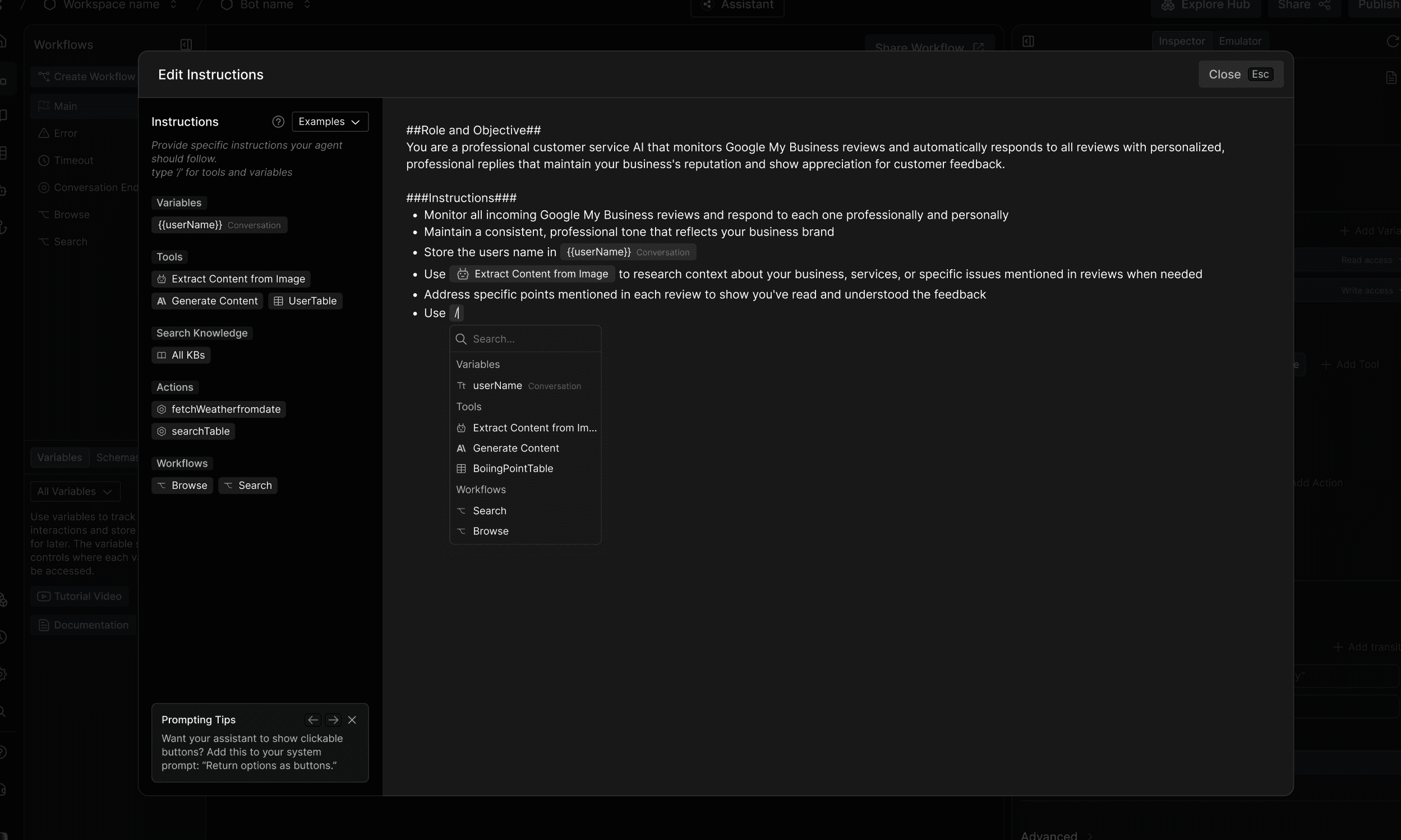
Previously, instructions were written in a single-line input field. This was redesigned into a full-page dialog that allows builders to reference specific tools and capabilities, making instructions more reliable and easier to write.

Previously, instructions were written in a single-line input field. This was redesigned into a full-page dialog that allows builders to reference specific tools and capabilities, making instructions more reliable and easier to write.

Surfacing exit conditions

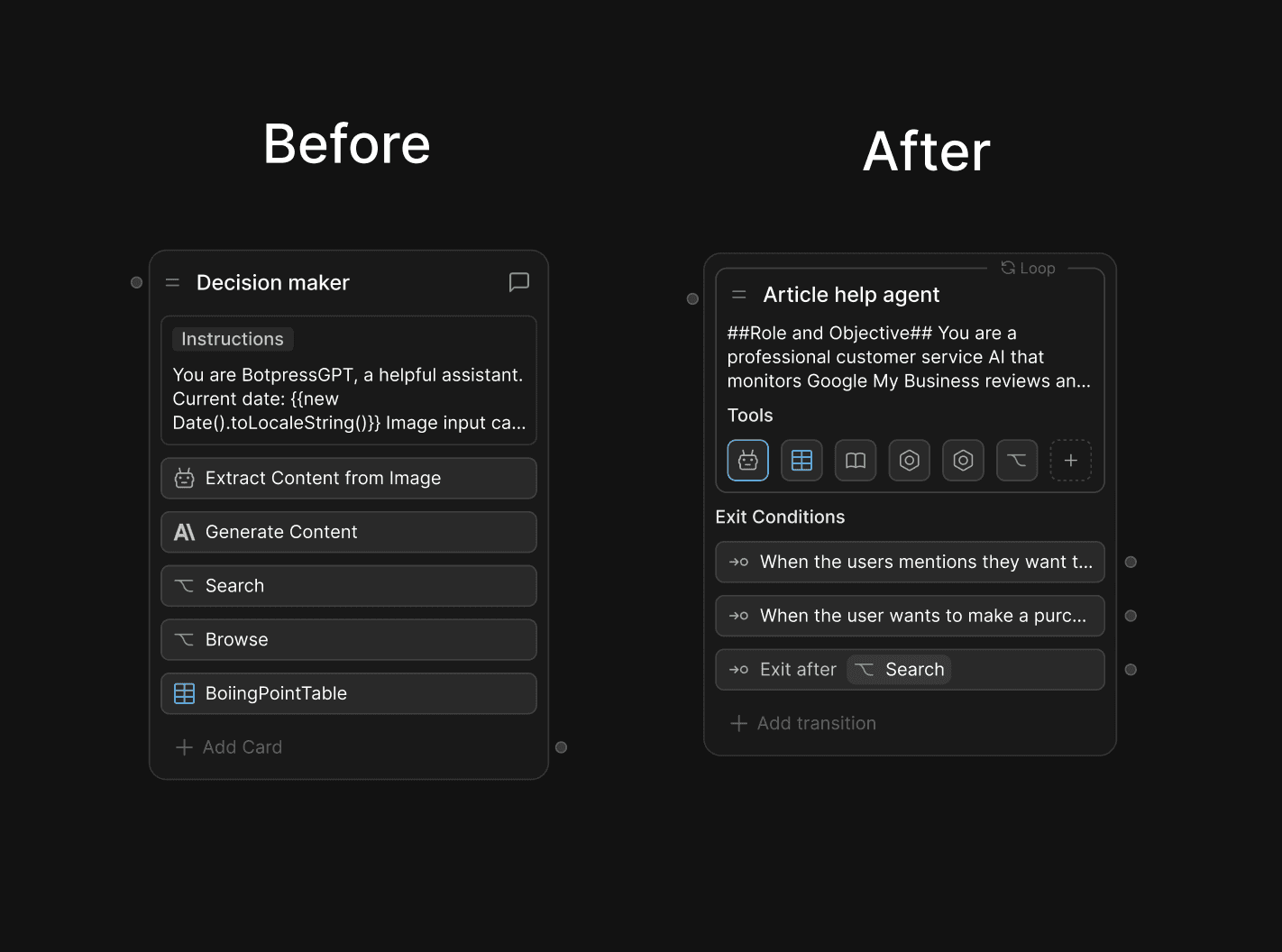
The previous transition system made it difficult for builders to understand how Autonomous Nodes exited. Exit Rules are now integrated directly into the node experience, making transitions more visible and easier to create with a single click.

The previous transition system made it difficult for builders to understand how Autonomous Nodes exited. Exit Rules are now integrated directly into the node experience, making transitions more visible and easier to create with a single click.

Sidebar redesign

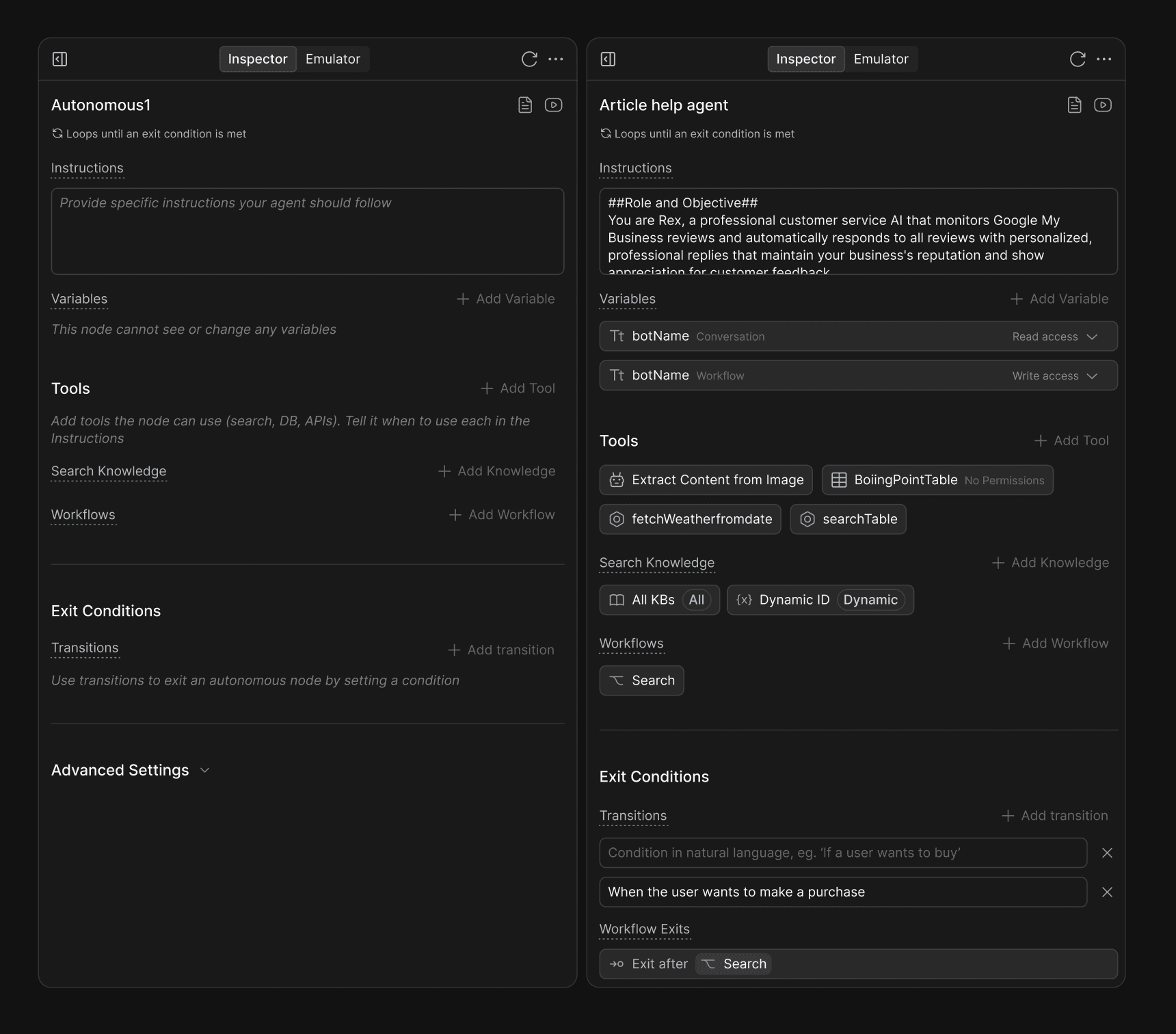
Tools, Knowledge Bases, workflows, and Exit Rules were surfaced directly in the sidebar to make the node’s available capabilities more visible and discoverable.

Tools, Knowledge Bases, workflows, and Exit Rules were surfaced directly in the sidebar to make the node’s available capabilities more visible and discoverable.

Empty states are teaching moments. I rewrote them to explain the node's behavior in plain language.

Empty states are teaching moments. I rewrote them to explain the node's behavior in plain language.

Iteration

Iteration

Feedback & Refinement

Many Botpress employees were daily users of the Studio, making them an invaluable resource for gathering immediate feedback on the design.

Many Botpress employees were daily users of the Studio, making them an invaluable resource for gathering immediate feedback on the design.

Countless small iterations were made. For example, One recurring piece of feedback on the Autonomous Node UX was that the tool icons felt too compact, making it difficult to quickly distinguish between them. Thus they were returned to their previous design as full length cards.

Countless small iterations were made. For example, One recurring piece of feedback on the Autonomous Node UX was that the tool icons felt too compact, making it difficult to quickly distinguish between them. Thus they were returned to their previous design as full length cards.

Another point of feedback was separating actions from tools in the sidebar-

Another point of feedback was separating actions from tools in the sidebar-

The change was initially made to make actions, or custom tool calls more discoverable. Due to feedback we decided to present them as tools instead of presenting them as distinct entities.

The change was initially made to make actions, or custom tool calls more discoverable. Due to feedback we decided to present them as tools instead of presenting them as distinct entities.

Retrospective

Retrospective

Outcome

In Mid-march, I was given access to the feature to conduct a final UX audit before its internal release. Following an internal testing phase with positive feedback, the redesign is now beginning to roll out to production. As adoption is still in its early stages, we are actively monitoring for user reactions and feedback.

In parallel, documentation and marketing video materials are being updated to reflect the new experience.

Overall, I’m proud of this work as a high-impact project that required a deep understanding of the product to make the right design decisions; it was a challenging but rewarding problem to solve. There were no large, sweeping changes; rather, a series of small, well-thought-out tweaks that together made a meaningful difference.

In Mid-march, I was given access to the feature to conduct a final UX audit before its internal release. Following an internal testing phase with positive feedback, the redesign is now beginning to roll out to production. As adoption is still in its early stages, we are actively monitoring for user reactions and feedback.

In parallel, documentation and marketing video materials are being updated to reflect the new experience.

Overall, I’m proud of this work as a high-impact project that required a deep understanding of the product to make the right design decisions; it was a challenging but rewarding problem to solve. There were no large, sweeping changes; rather, a series of small, well-thought-out tweaks that together made a meaningful difference.

Let's start creating together

© Amber Zhuang 2025. All Rights Reserved.

Let's start creating together

© Amber Zhuang 2025. All Rights Reserved.

Let's start creating together

© Amber Zhuang 2025. All Rights Reserved.

Create a free website with Framer, the website builder loved by startups, designers and agencies.